This tutorial will guide you through the registration of your Scientific.Net
account. If you already have a Scientific.Net account, please get the
invitation to submit your paper using your registered account.
Action 1
Go to the Scientific.Net site
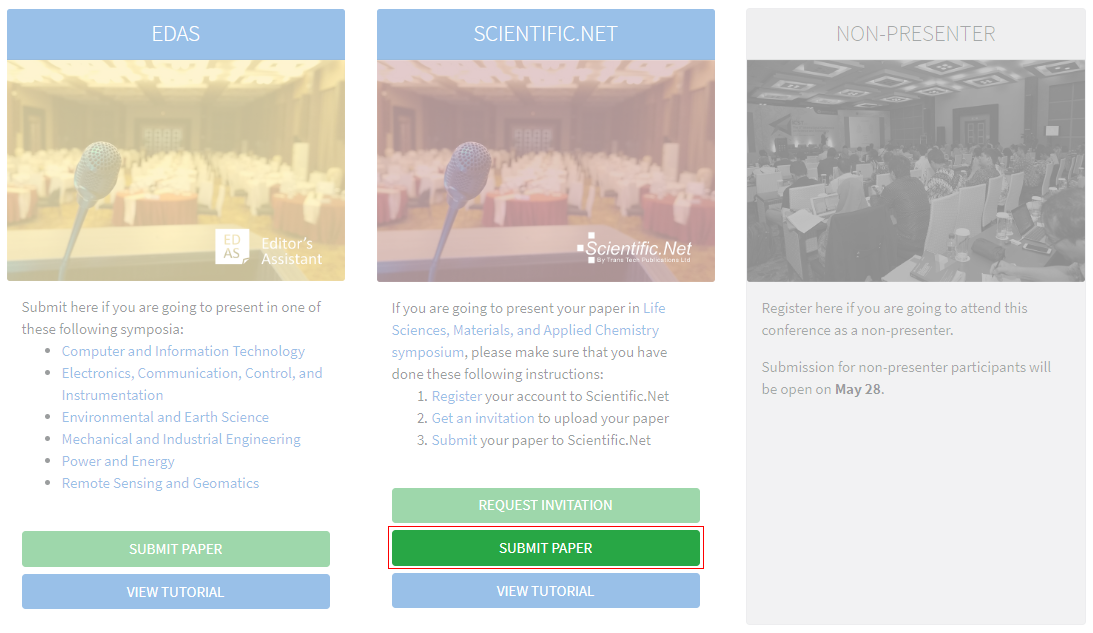
Click the Register button on the AVINER website.

Then, click the Submit paper button under the Scientific.Net
card, which will redirect you to the Scientific.Net website.
Action 2
Create a new account
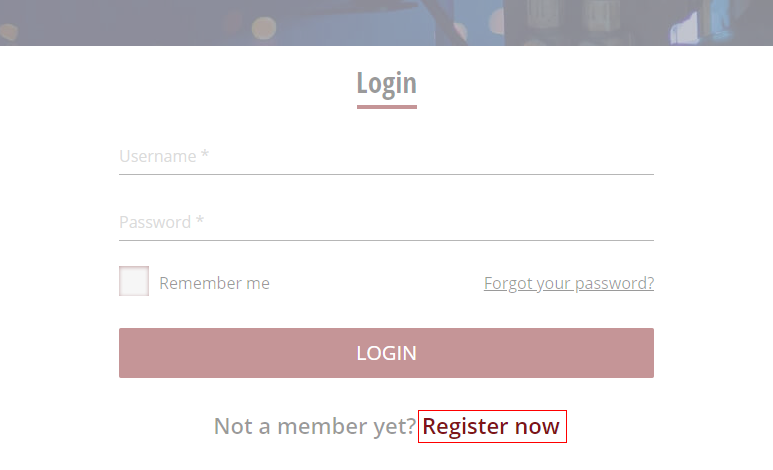
Below the login form, click Register now.
Action 3
Entry your details
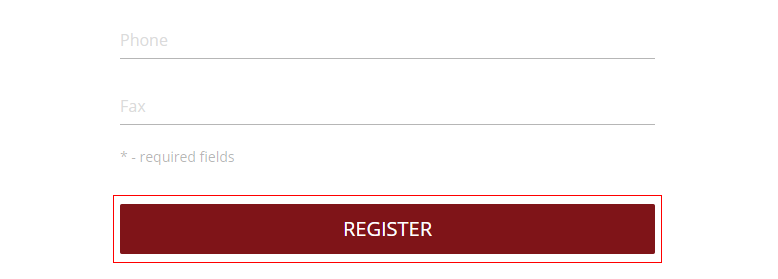
Type your information in the required fields (marked with an asterisk). Click Register button
to create your account.
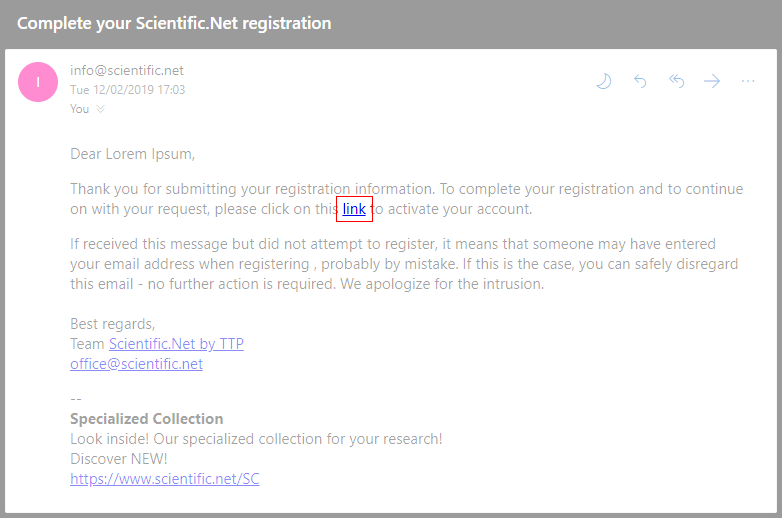
Your account has been created. Verify your account by clicking the link in your email.
Action 4
Get your invitation
Get your invitation by clicking the Request invitation button under the Scientific.Net
card in the Submission page.
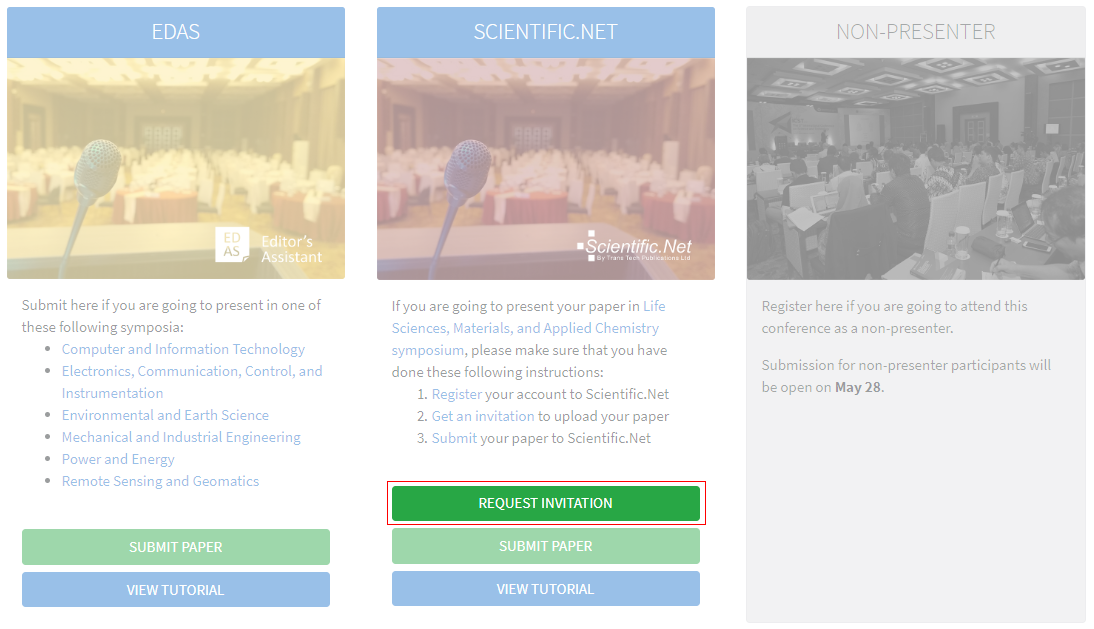
Type your Scientific.Net registered account details and click Submit button.
Your request has been sent. We will notify your invitation by email.
If you still require further
assistance, please feel free to contact us.