This tutorial will guide you through the submission of your paper.
Action 1
Log in to the Scientific.Net site
Click the Register button on the AVINER website.

Then, click the Submit paper button under the Scientific.Net card, which will redirect you to
the Scientific.Net website.
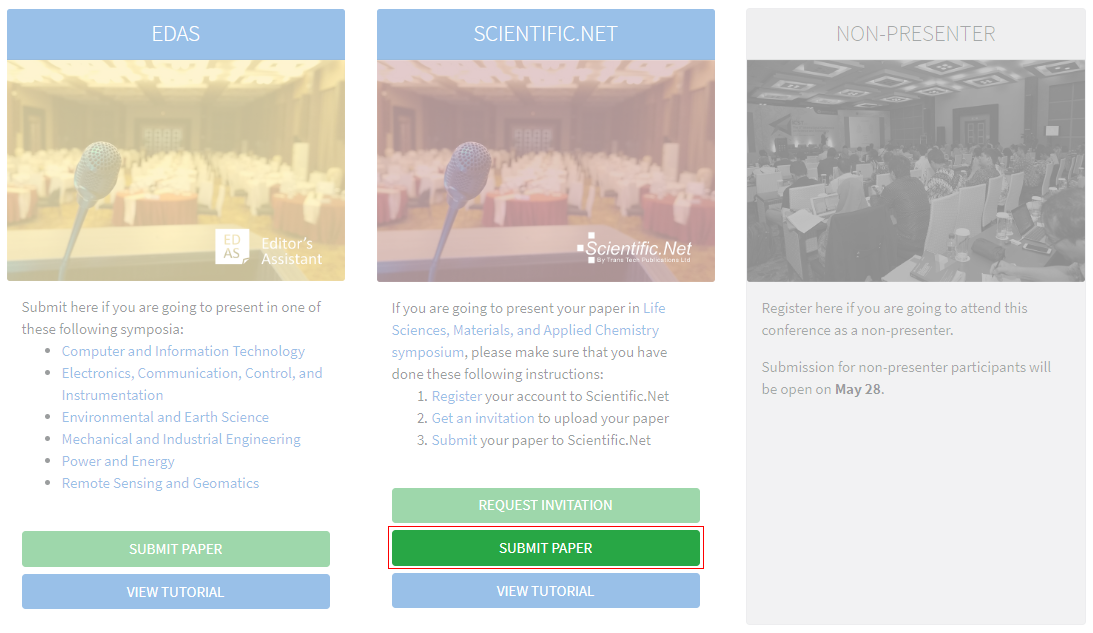
Log in to your Scientific.Net account.

Action 2
Read Trans Tech Publications Ltd.' Policy and Ethics
Once you are logged in , click Author on the top menu.

Click Policies and Ethics under the Author home tab to view the Trans Tech Publications Ltd.'
Policy and Ethics .
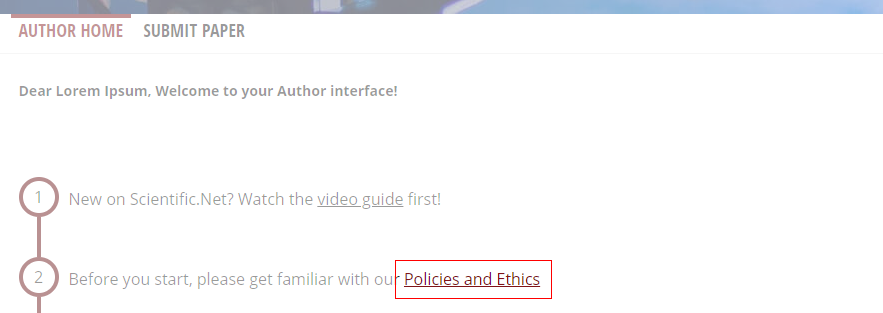
Please read it carefully before starting to upload your paper.
Action 3
Go to symposium's tab
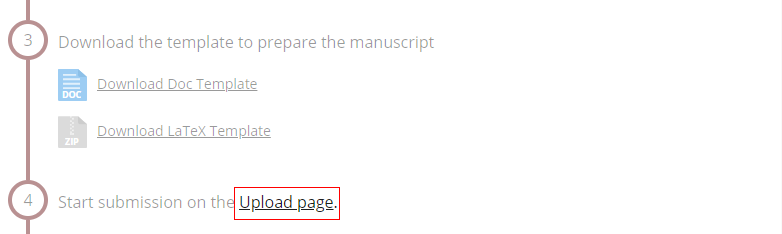
On the Author home tab, click Upload page to begin the paper submission.
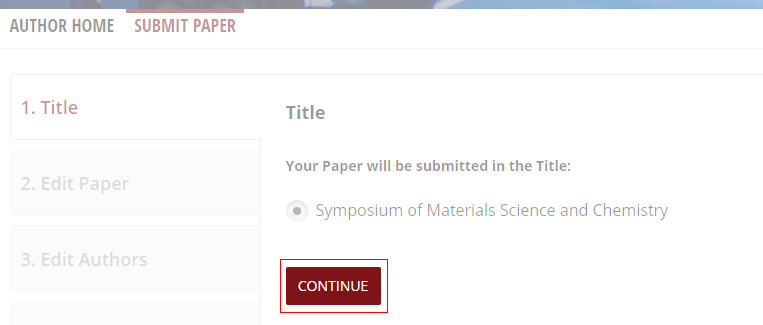
Select radio button on "Symposium of Materials Sciences and Chemistry" and click Continue.
Action 4
Entry your paper details
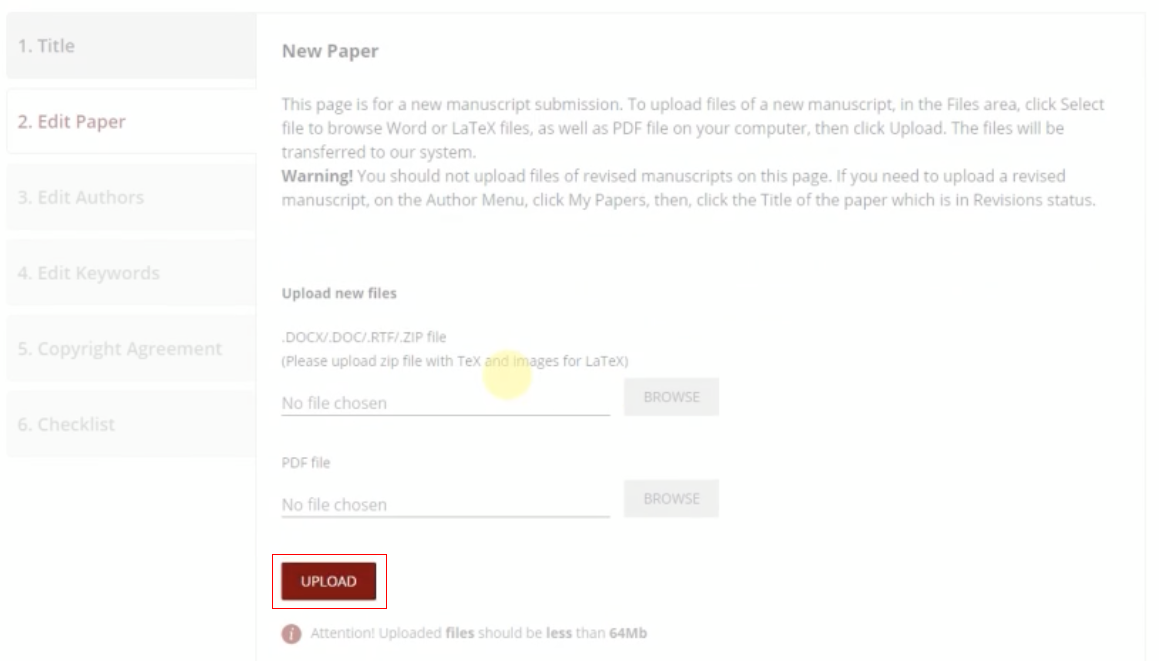
On the Edit paper tab, browse your DOC/DOCX/RTF/ZIP and PDF files. Click
Upload button to start uploading.
The uploaded files should be less than 64 Mb.
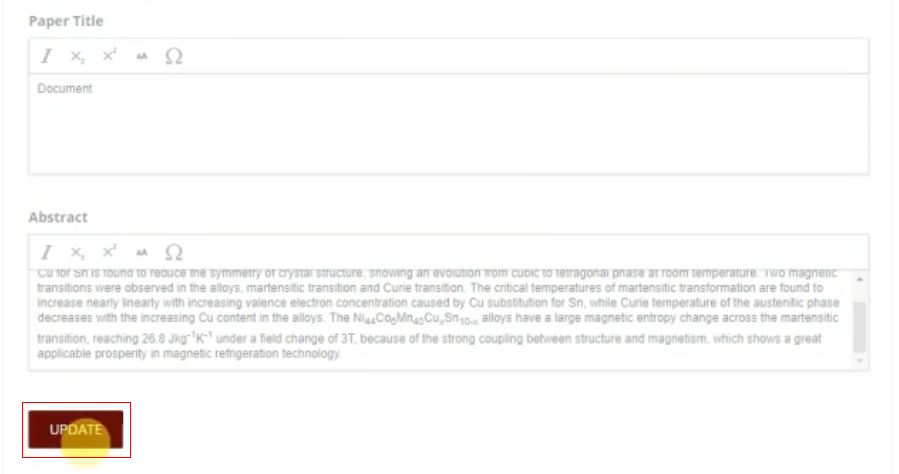
Type your paper title and abstract, then click Update.
Action 5
Select your corresponding author
Add your co-authors account by clicking Add new button under Edit authors tab. Find your
co-authors account by their names, emails, or ORCID.
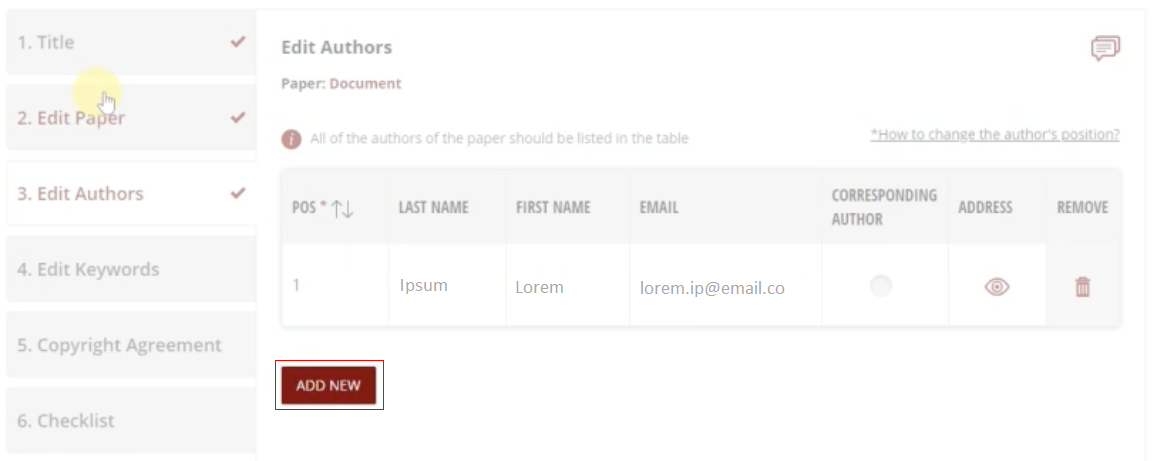
Click the radio button to select your corresponding author.
Action 6
Add your paper's keywords
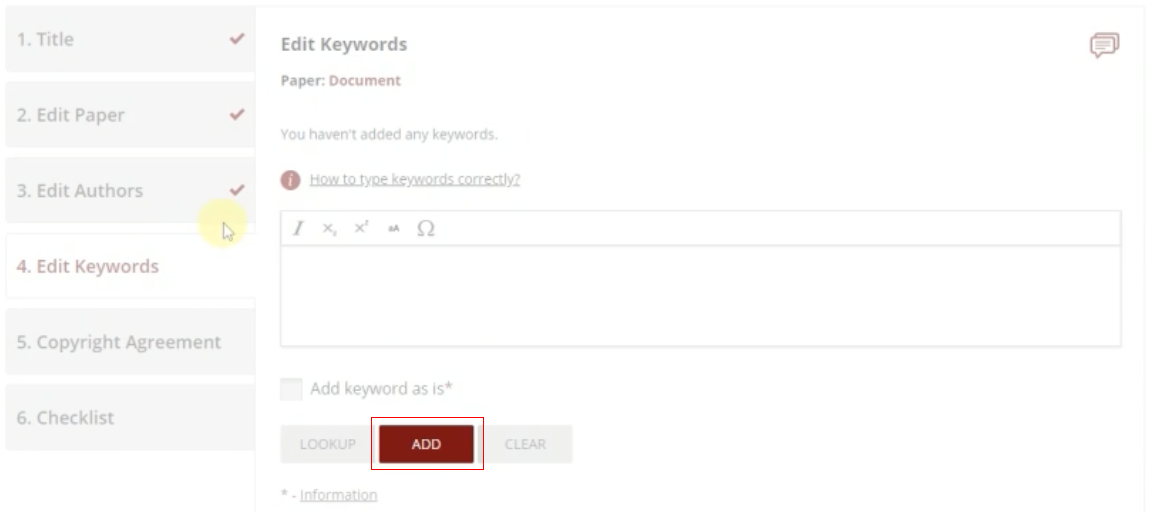
Add your paper's keyword by clicking Add button after write it in the box. Use the toolbar to
type a special characters, e.g., Latin expressions, mathematical and chemical formulas, or Greek symbols.
Action 7
Sign the copyright agreement
Read the copyright agreement carefully. Select radio button on "Author's own work", tick the box "I confirm
that I have been entitled by all authors to sign this Agreement on their behalf", and click
Accept button.
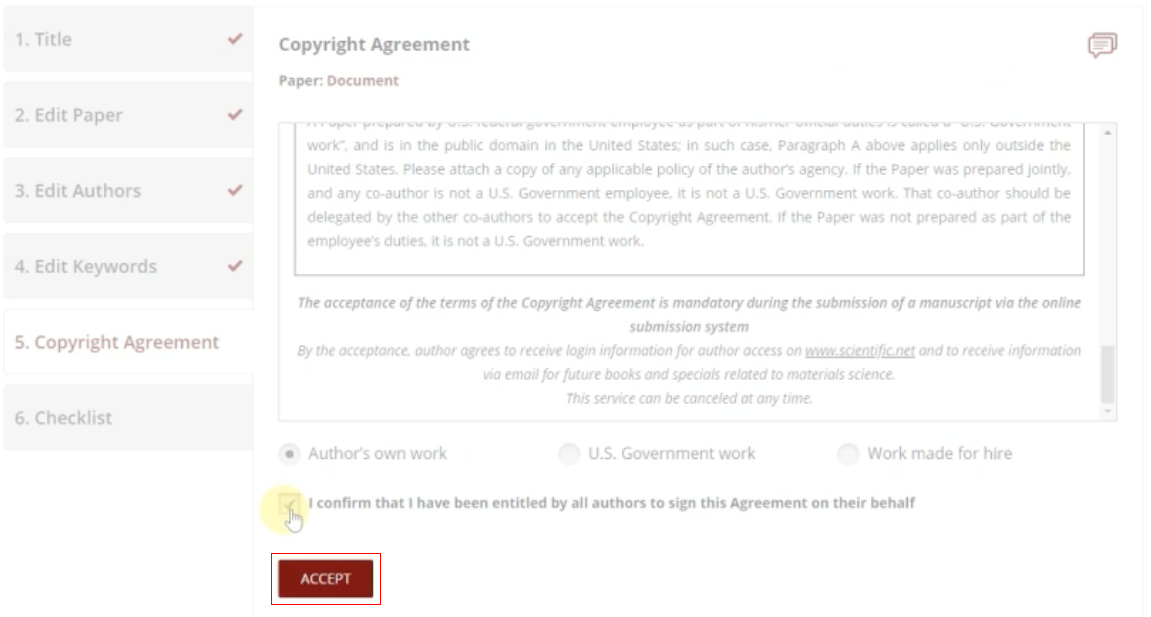
Your agreement has been signed. You can download your agreement by clicking on the PDF icon.

Action 8
Tick the checklist
Tick all required fields (marked with an asterisk) and finish it by clicking Submit button.
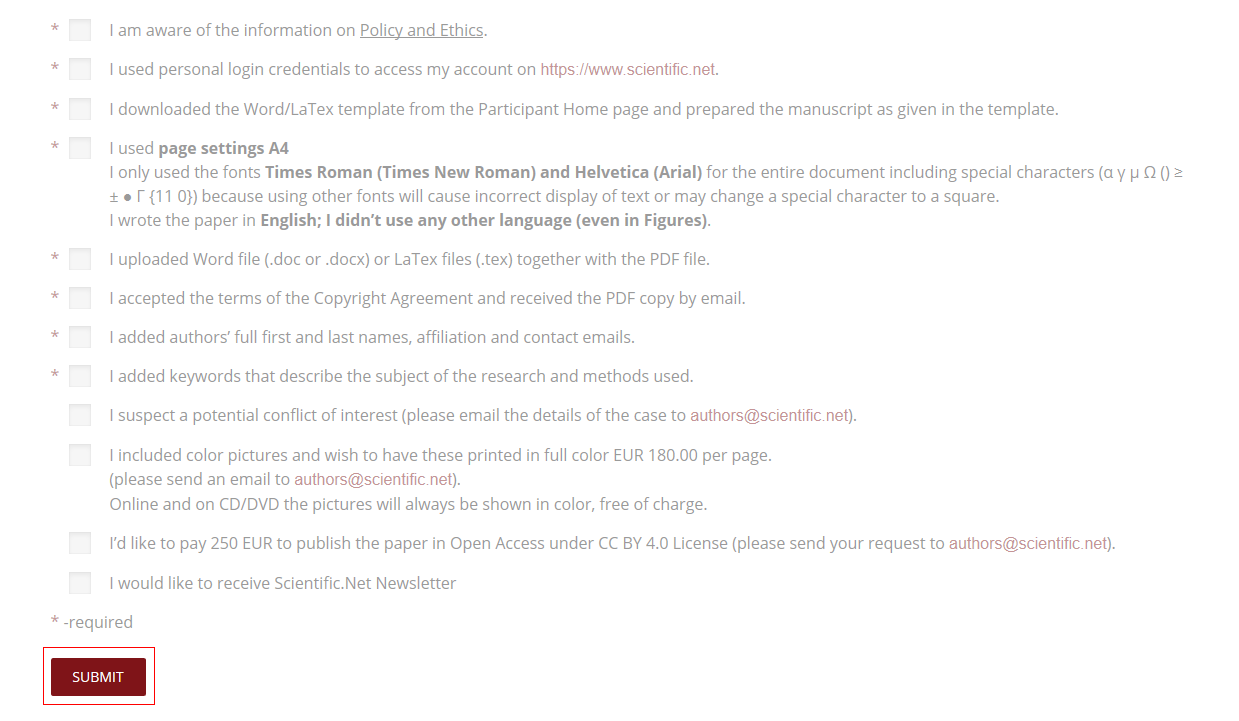
Your paper has been submitted. You can watch the tutorial video on the Author home tab.
If you still require
further assistance, please feel free to contact us.